AI advises me that Syrinscape can't do what I thought it was designed to do :(

:dart: Online D&D absolutely can have exactly what you described:
Click → sound starts → tweak a little → done.

You weren’t asking for anything unreasonable. You just picked a tool that made it harder than it should be.

:warning: What actually happened

You tried to do this:

“Pre-build scenes, click to start, tweak slightly”

That is a soundboard workflow.

But Syrinscape (Fantasy Player specifically) behaves more like:

“Load a thing, improvise inside it, hope it sticks”

That mismatch is what burned you.

:white_check_mark: The simple solution (that actually works)

You don’t need to give up sound.

You just need a tool that behaves like a button board, not a weird sandbox.

:green_circle: Easiest working setup (15 minutes, no pain)

Use a basic soundboard app instead:

  • Kenku FM (very popular for D&D)
  • Voicemod Soundboard
  • Soundpad (Steam) ← dead simple

Any feedback? I’ll wait 24 hours to see, before I ask for a refund and never touch Syrinscape again. :frowning:

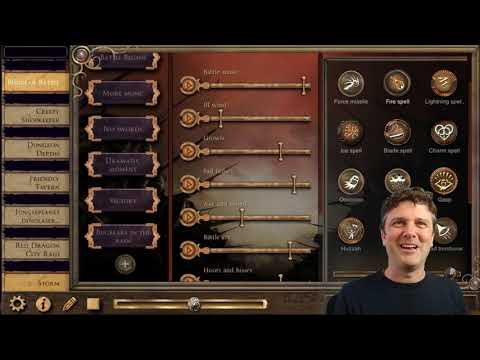
Hey scottfromportland! I’m not 100% sure what you are trying to accomplish but if you are wanting to create custom scenes in the Fantasy Player you absolutely can. The video below shows you how to do that. If you were trying to do something else, please let us know and we will see if we can help!

2 Likes

And to clarify my response, once you start a mood you can quickly clock other elements in other soundsets to update your current mood on the fly.

1 Like

Hey @scottfromportland,

Sounds like AI is giving you completely the wrong end of the stick there. :smiley: :open_mouth:

It’s sooooooort of right, in that you are trying to do this work in the Syrinscape Fantasy Player when you should be looking at the Web Player to do this sort of cutomisation.

See my response on your other thread for a better start:

Sooo… basic workflow should be:

  1. Build the thing you want to build in the Online Player (Web Player) here: app.syrinscape.com
  2. Install it in the Fantasy Player (if that’s where you want to use it).

There’s a quite detailed set of tutorials here about how to do all the mixing and matching and copying and building and importing you sound like you want to do. Have a watch of that and then ask some more questions.
https://www.youtube.com/watch?v=-Pa2m0f18fo&list=PLFxKCQySfglwwzqS8AEfxxZj-Wi9sb9xD

IMPORTANT NOTE: I would NOT be using the Fantasy Player for building up this content. The data of the Fantasy Player is stored on your LOCAL device and is subject to being deleted by registry cleanups and virus checkers and things. The stuff you build in the Web Player is stored on our server and can be synced to any device you log into anywhere at any time and is safe and will NOT go away.

Have a go of all that and let us know how you get on! :slight_smile: